Social Connections
dopost allows you to connect and manage all your social media accounts in one place.
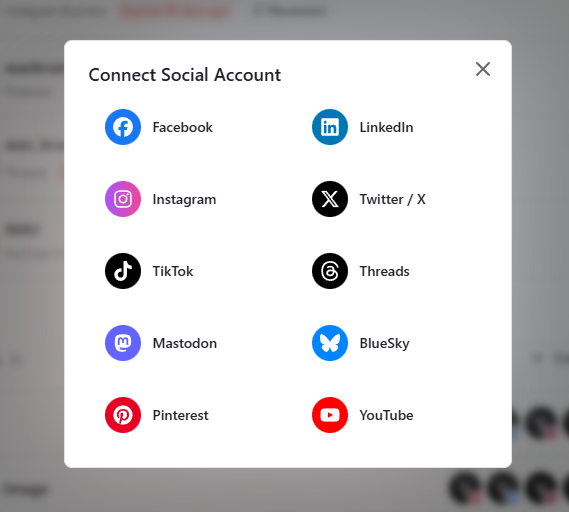
Supported platforms: include Instagram, Facebook, X, LinkedIn, YouTube, TikTok, Pinterest, Mastodon, Bluesky, Threads, Telegram and Google Business.
The Connections page (/dashboard/connections) is where you add new accounts, organize them, and keep them ready for posting and analytics.
How to connect a new account
Go to connections page and click New Connection

Important: Permissions During Connection
During connection, the platform may show a screen with permissions you can toggle.
To ensure all Dopost features work (posting, mentions, analytics, scheduling, etc.), it is important not to disable or remove any permissions.
Removing permissions may break features until the account is reconnected again with full access granted.
Connections Expiration
Some platforms require you to reconnect occasionally. Dopost automatically checks connection status and warns you before anything stops working.
Platforms With Expiration Monitoring
Facebook
Instagram Business
Instagram Direct
Threads
LinkedIn (Personal Profiles & Company Pages)
Pinterest
Other platforms will stay connected.
Connection Status Levels
Warning – The connection will expire soon, reconnect recommended, you can still post.
Expired – The connection expires today or already expired, reconnection required, you won’t be able to post.
Expiration & Duration
Lasts around 1 year
Warning appears 10 days before expiration*
Refresh: click Reconnect (opens a login window)
Threads
Lasts about 60 days
Warning appears 7 days before expiration
Refresh: click Reconnect
Lasts about 30 days
Warning appears 7 days before expiration
Refresh: click Refresh (updates in the background)
How Reconnection Works
When a connection needs attention, dopost shows a Reconnect or Refresh button:

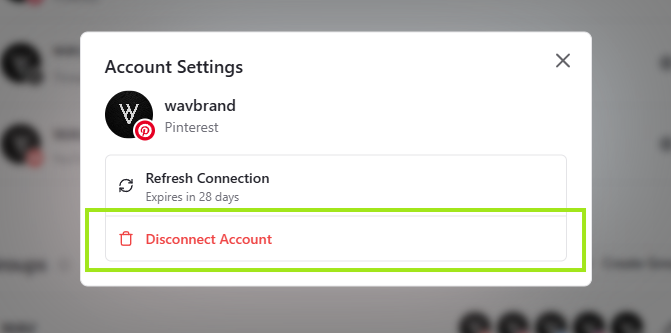
Pinterest refreshes instantly in the background
Meta and LinkedIn open a small login window; once you confirm access, the connection is renewed
Meta Accounts Connected Through Business Manager
If your Facebook or Instagram Business accounts were linked via Meta Business Manager, reconnecting one account will refresh all Meta accounts under the same Business.
Instagram accounts connected directly (personal login) must be refreshed individually.
Account Availability After Downgrading
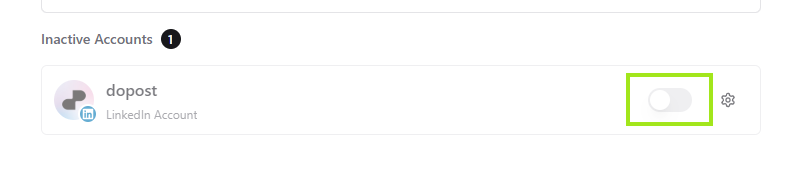
If you downgrade your plan, all accounts become inactive automatically.
You can then reactivate accounts up to your new plan’s limit, choosing which ones to keep active.
Deleting Connections
You can permanently remove an account if you no longer want it connected to Dopost.
Groups
Groups help you stay organized and let you quickly select a full set of accounts when creating a post (e.g., “Client A”, “Marketing Team”, “My Brand”).
They are especially useful if you manage multiple brands or clients.
If you mark one group as default, when opening Create Post will select that group automatically
Was this helpful?
Still need help? Ask the team